You just signed up. The dashboard is open, there’s a season to set up, skills to rate, cycles to define, and a practice on Tuesday. Where do you actually start?
Not with all of it. Relyx can carry an entire basketball season, but you don’t need to plan the entire season before it becomes useful. The best first result is much smaller: create your team’s season, pick a few things the team genuinely needs to improve, and build the next practice around them. The rest of the planning comes later.
The Relyx planning model
Relyx supports coaching the way a season actually unfolds, from the season plan down to the weekly practices in the gym.
- Season: the full coaching period, with its age group and dates.
- Cycles: shorter training blocks of roughly two to four weeks, each with its own focus.
- Practices: the sessions you run inside a cycle.
- Drills: reusable exercises tagged by the skills they develop.
That structure gives each practice a reason to exist without forcing you to predict February in September. You can start with tomorrow’s session and connect it to a bigger plan later. The Relyx philosophy behind the framework is covered in basketball season planning.
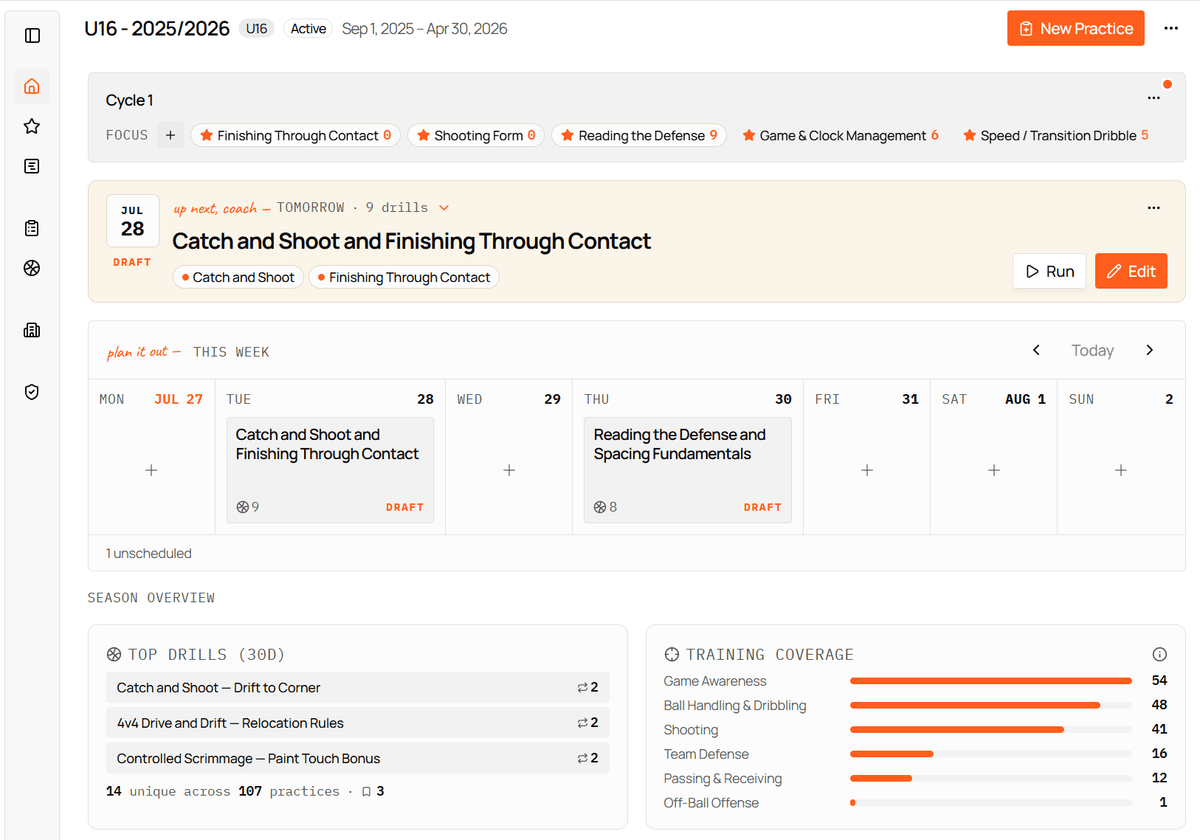
Everything above sits on one screen once a season is running: the current cycle and what it’s emphasizing, the next practice waiting to be run, and the week around it.
Before you begin
Have four answers ready:
- Which age group are you coaching?
- When does this season start and end?
- Roughly how often does the team practice?
- What’s the one thing the team most needs to improve?
You don’t need a finished development plan to get going. One honest priority is enough for today, and you’ll do the full pass through the skill framework in a couple of weeks.
1. Create your season
After you create your account, Relyx asks for your age group and practice frequency, then suggests a season setup from those answers.
Review three things:
- Season name
- Start and end dates
- Cycle rhythm
Relyx can divide the season into cycles for you. A team that practices four times a week can work through a focus in two weeks. A team that meets once a week needs longer to get the same number of quality repetitions.
Treat this as a starting structure. You can rename cycles and change their dates later from Plan and then Manage Cycles.
2. Pick your season priorities
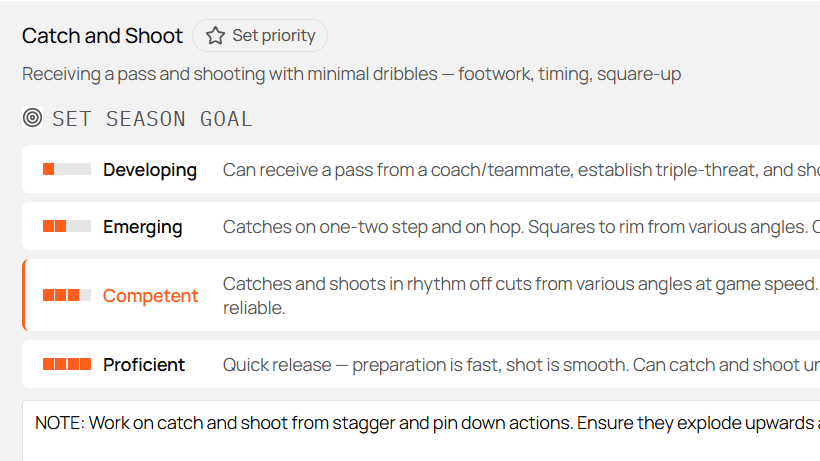
Open Skills and choose what matters for this season.
The Development Guide shows typical targets for your age group. It’s a second opinion, not a checklist to copy. If you coach inside a Relyx Club, you’ll see your club’s own framework here instead, with the targets and coaching language your staff already agreed on.
For the first week, keep the decision small:
- Add the key skills for this season.
- Set a goal level where you know what progress should look like.
- Mark only the most important ones as priorities.
- Rate the team’s current level if you want a starting point on record.
Then put a real session in the calendar. After two or three weeks of coaching this team, sit down and go through the full skill list properly: rate where the team actually is, set the goals you want to reach by the end of the season, and lay the cycles out across the calendar. You’ll know the group far better than you did on day one, and the plan will be worth more for it.
For the full picture, see skills and cycles in Relyx.
3. Set the first cycle focus
Open Plan. Your season timeline shows the cycles created during setup.
In Goal Coverage, select the current cycle and assign it a few skills. Those become the focus for that block.
Pick a small number and stop there. Three or four skills across a few weeks gives the team enough repetitions to actually improve; ten gives you a busy matrix and no progress. Other skills will still show up in practices. The focus tells Relyx what the team is emphasizing right now, and reminds you every time you sit down to plan.
A practical first cycle might hold:
- One technical priority.
- One decision-making or tactical priority.
- One supporting habit, if you need it.
For example: catch and shoot, using off-ball screens, and communication.
4. Build your first practice
Open Practices and choose New Practice.
Give it a title that will still make sense next season, when you’re looking for a session like this one to run again. “Closeout decisions: drive or shoot” earns its place in the history. “Tuesday” doesn’t.
Then set the season and cycle, the date, and the planned duration, and add the skills under Skills to train. If the practice belongs to a cycle, Suggest from cycle fills those in from the current focus.
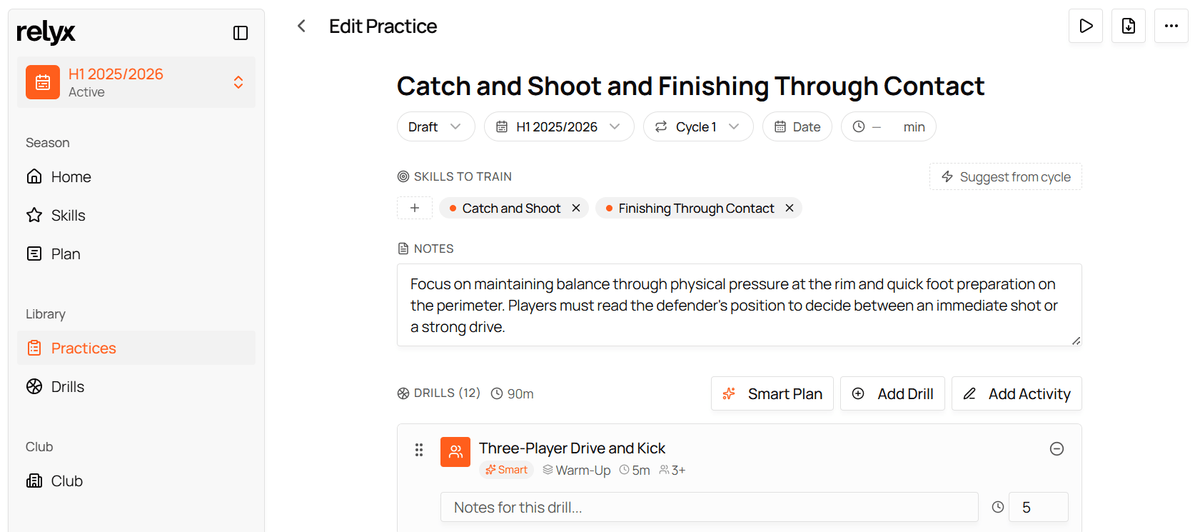
Use Notes for anything the plan itself doesn’t carry: what you’re watching for, what went wrong last week, what to say in the first two minutes.
Then pick one of three approaches.
Build manually
Select Add Drill and choose from the Relyx library or your own drills. If what you want isn’t there yet, create it on the spot: a name, a duration, and the skills it develops are enough to get it into the practice.
Keep doing that as you go. Every drill you add is one you never have to retype, and after a few weeks you’ll have a library that makes planning noticeably faster. Building a drill library you’ll actually reuse covers how to keep it findable.
Use Add Activity for blocks that aren’t drills, or for anything that doesn’t deserve a full library entry: a team talk, a water break, a free-throw finish.
Adjust each block’s duration and drag the list into the order you want.
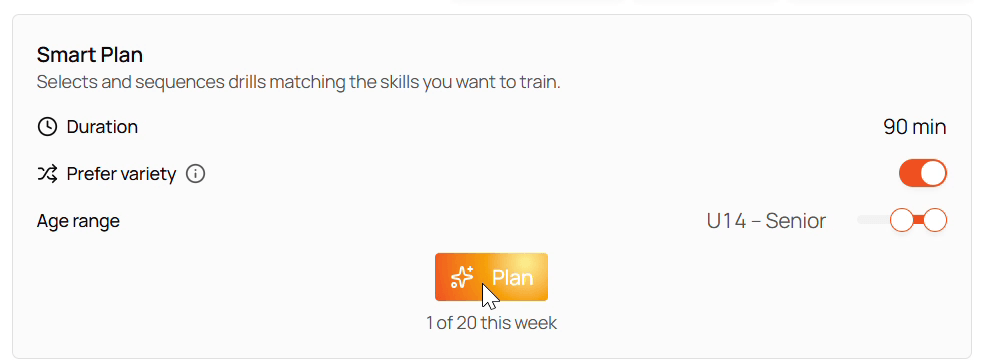
Use Smart Plan
Open Smart Plan, check the duration, age range, and skill focus, then choose Plan.
Anything you’ve already added stays put, and Smart Plan fills the remaining time around it. That makes it a collaborator rather than an all-or-nothing generator.
Combine both
Start with the one drill you know you want, let Smart Plan build a balanced draft around it, then replace or reorder whatever doesn’t fit your team.
Relyx saves editor changes automatically. When the practice is ready to run, change its status from Draft to Final.
5. Use the getting-started checklist
The dashboard’s Explore Relyx panel tracks a handful of useful first actions: create a season, choose season priorities, set the first cycle focus, add a custom drill, plan a practice, mark it Final, and rate a skill.
These aren’t a mandatory sequence, and you don’t have to finish them before you’re allowed to coach. Treat the panel as a tour of what the app can do, and let the ones you haven’t touched yet tell you what’s still worth a look.
What can wait
You’ll get real value from Relyx without immediately:
- Rating every skill.
- Perfecting every cycle date.
- Entering your entire drill collection.
- Creating practice templates.
- Setting up a club framework.
- Planning every future practice.
Add those when they solve a problem you actually have.
A strong first session
Before you close Relyx the first time, aim to have:
- One active season with the right age group.
- One current cycle.
- Two or three cycle focus skills.
- One practice with a useful title, duration, and target skills.
- A drill sequence that fits the time you’ve got.